 WindowsLive
Spieglein.
Your iPhone on the big screen.
Receives AirPlay from iPhone, iPad & Mac and shows the screen on your Windows PC — entirely local on your Wi-Fi.
- Runs on
- Windows PC
- Receives from
- iPhone, iPad, Mac
- Connection
- Local Wi-Fi
What Spieglein can do
AirPlay on Windows
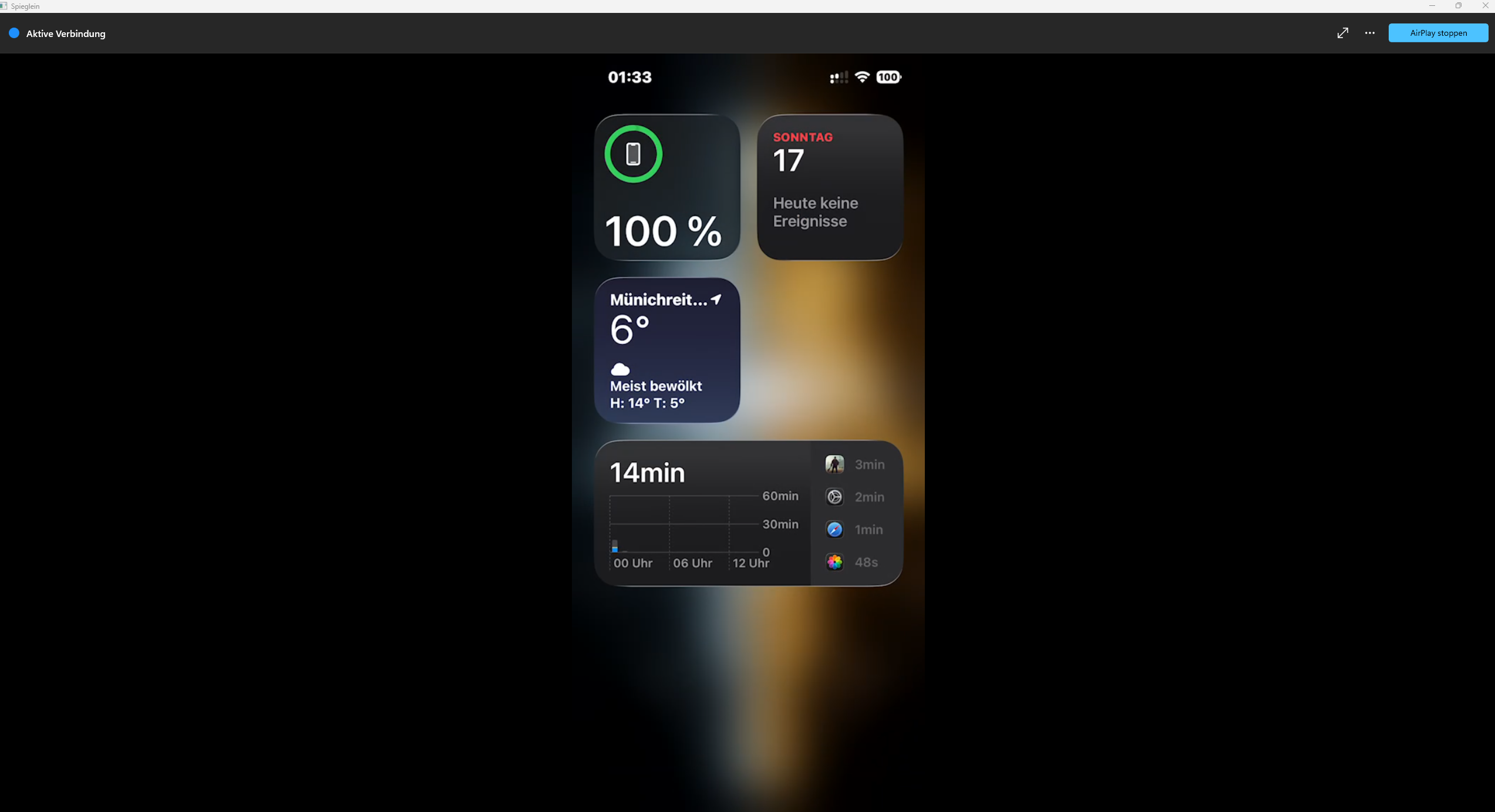
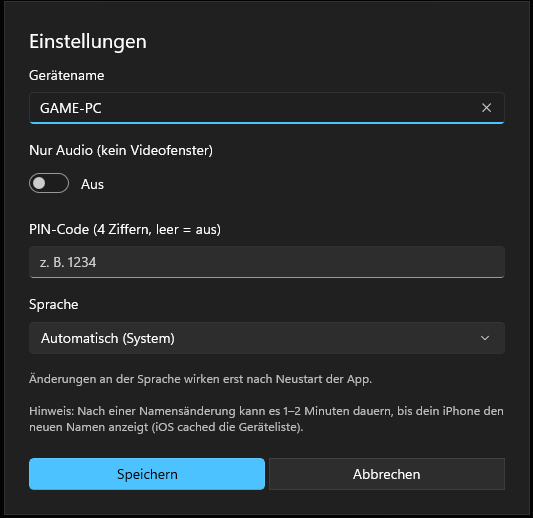
Your PC shows up in the Screen Mirroring menu on iPhone, iPad and Mac.
Full screen in one click
One click and the picture fills your whole monitor. Press Esc to go back.
Remembers your device
The last connection is shown so you can pick up right where you left off.
Screenshots


Ready in 3 steps
- Start Spieglein on your PC.
- Tap “Screen Mirroring” on your iPhone.
- Choose “Spieglein” — done.
FAQ
Does this go through the cloud?
No. The transfer runs directly over your Wi-Fi, between your own devices.
Do I need an app on my iPhone?
No. Spieglein uses AirPlay, which is already built into iPhone, iPad and Mac.